

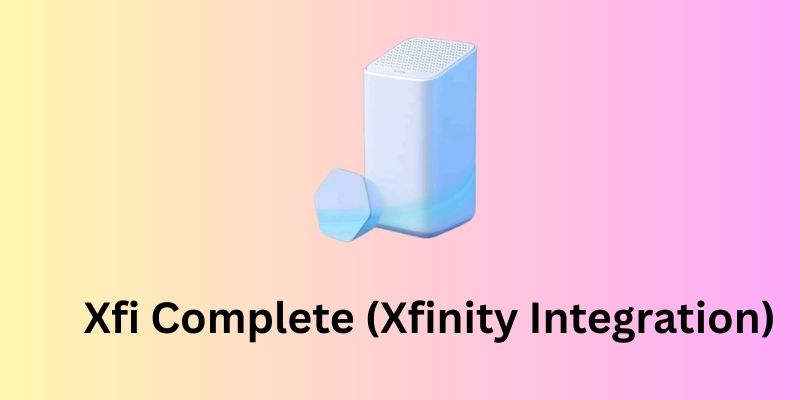
If you spotted “xFi Complete” on your Xfinity bill or came across it while browsing internet plans, you are in the right place.
xFi Complete is a $25/month add-on from Xfinity that bundles three things together: the xFi Gateway modem/router rental, unlimited data, and advanced network security.
Instead of paying for each separately, you get all of it under one charge.
This guide covers everything you need to know about xFi Complete: what it includes, how much it costs, who it is for, and whether it is actually worth paying for in 2026.
What is Xfi Complete?
xFi Complete is an optional add-on service from Xfinity (Comcast). It shows up on your bill as a separate $25/month line item, usually labeled “XFI COMP ADD-ON” or “xFi Complete Service Add-On.”
Without it, you pay modem rental separately and hit a 1.2 TB monthly data cap with overage charges on top.
Note that xFi Complete is not an internet plan on its own. You need an active Xfinity internet subscription first, and xFi Complete adds onto it.
What Does xFi Complete Include?
The xFi Complete package includes several useful features, including:
- xFi Gateway modem/router (XB8 with Wi-Fi 6E or XB10 with Wi-Fi 7 on select tiers)
- Unlimited internet data with no 1.2 TB cap and no overage charges
- Advanced network-level security covering every connected device in your home
- Parental controls with scheduling, content filtering, and per-profile settings
- xFi Pods for eligible homes with confirmed dead zones after a coverage assessment
- Full access to the Xfinity app for network management, speed checks, and security alerts
How Much Does xFi Complete Xfinity Cost?
xFi Complete costs $25 per month, added on top of your regular Xfinity internet plan.
To understand if that is a good deal, here is what you would pay without it:
| Item | Cost Without xFi Complete |
| xFi Gateway rental | $14/month |
| Unlimited data add-on | $30/month |
| Total | $44/month |
With xFi Complete, you get both for $25/month. That is a $19 saving every month compared to buying them separately.
If you do not get xFi Complete and you go over the 1.2 TB data cap, Xfinity charges $10 for every additional 50 GB, up to a maximum of $100 extra per month. For heavy internet households, that adds up fast.
One thing to note: xFi Complete’s unlimited data is not available in all areas. Customers in certain Northeast states including New York, New Jersey, Connecticut, Pennsylvania, and Massachusetts may not have access to it. Check with Xfinity directly if you are in those regions.
Key Features of Xfi Complete
Xfinity xFi Complete offers a diverse range of features to give maximum benefits. Here are the details of these features:
xFi Gateway (Modem/Router)
The xFi Gateway is Xfinity’s combined modem and router. Instead of having two separate devices, it handles both your internet connection and home Wi-Fi in one unit.
Depending on your plan and location, you will get either the XB8 (Wi-Fi 6E) or the XB10 (Wi-Fi 7 on select higher-speed tiers).
The rental cost of this device is included in your $25/month xFi Complete charge.
Unlimited Data
Standard Xfinity internet plans cap your data at 1.2 TB per month. With xFi Complete, that cap is removed. You can stream, game, video call, and download without watching a data meter or worrying about overage charges.
Advanced Network Security
xFi Complete includes network-level security, meaning every device connected to your home Wi-Fi is protected automatically.
This covers your phones, laptops, smart TVs, and even IoT devices like thermostats and security cameras. It includes real-time threat detection, malware blocking, and automatic security updates.
You get alerts through the Xfinity app whenever something suspicious is flagged.
Parental Controls
Parents can create individual profiles for each family member and set specific rules for each one. This includes content filtering by category, daily screen time limits, and bedtime mode which cuts off internet access for selected devices at a scheduled time. Everything is managed through the Xfinity app.
xFi Pods
If your home has rooms with weak or no Wi-Fi signal, xFi Complete includes a coverage assessment within the first 30 days of activation.
If Xfinity confirms dead zones, they send xFi Pods to your home at no extra cost. These are mesh Wi-Fi extenders that distribute your signal evenly across every floor and room.
Xfinity App
The Xfinity app is your control panel for everything. From the app you can see all connected devices, pause or restrict internet access for specific devices, check your network speed, set up a guest network, change your Wi-Fi password, and receive security alerts in real time.
xFi Complete vs. Standalone Unlimited Data
Some people do not know this, but you can add unlimited data to your Xfinity plan without getting xFi Complete. It costs $30/month on its own. Here is how that compares:
| Standalone Unlimited Data | xFi Complete | |
| Price | $30/month | $25/month |
| Unlimited Data | Yes | Yes |
| Gateway Rental Included | No | Yes |
| Advanced Security | No | Yes |
| xFi Pods | No | Yes (eligible homes) |
If you are already renting the xFi Gateway, xFi Complete is the better deal. You get unlimited data plus the gateway rental plus security, all for $5 less than what standalone unlimited data costs alone.
The only case where standalone unlimited data makes sense is if you own your own modem and do not want any of the other xFi Complete features.
xFi Complete vs. Own Modem
Buying your own modem is a common alternative to renting Xfinity’s Gateway. Here is how the numbers work out:
| Own Modem | xFi Complete | |
| Upfront Cost | $100-$200 (one time) | None |
| Monthly Equipment Fee | None | Included in $25 |
| Unlimited Data | $30/month extra | Included in $25 |
| Advanced Security | Not included | Yes |
| xFi Pods | Not available | Yes (eligible homes) |
| Xfinity App Full Access | Limited | Full |
If you buy your own modem and want unlimited data, you are paying $30/month for data alone. With xFi Complete at $25, you get the gateway, unlimited data, and security together for less.
Owning your modem saves money long term only if you stay under the 1.2 TB data cap and do not need the extra features. For most households that stream, game, or work from home, xFi Complete ends up being the cheaper and simpler option.
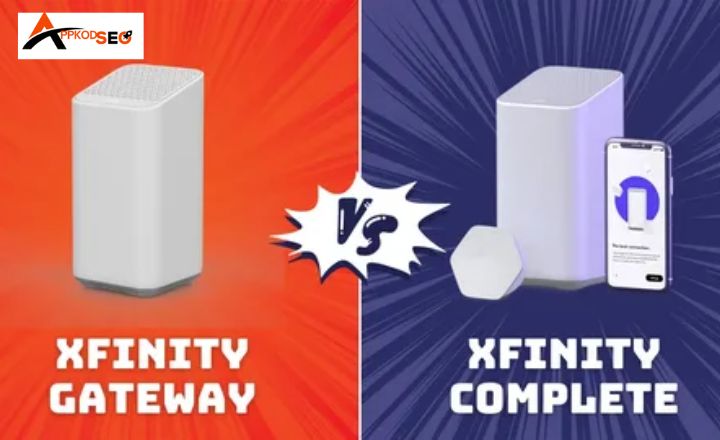
xFi Gateway vs. xFi Complete vs. Xfinity Pro
These three options confuse a lot of Xfinity customers. Here is a clear breakdown:
| Feature | xFi Gateway | xFi Complete | Xfinity Pro |
| Hardware (Modem/Router) | Yes | Yes | Yes (Upgraded) |
| Unlimited Data | No | Yes | No |
| Data Cap | 1.2 TB | None | 1.2 TB |
| Advanced Security | Basic | Advanced | Basic |
| xFi Pods | No | Yes (eligible) | Yes |
| Parental Controls | Basic | Advanced | Basic |
| Wi-Fi Backup (Cellular Failover) | No | No | Yes |
| Price | $14/month | $25/month | $15/month |
The key difference to understand: xFi Complete and Xfinity Pro are not the same thing, even though Xfinity’s website sometimes shows them together. xFi Complete focuses on unlimited data and security.
Xfinity Pro focuses on coverage and an upgraded gateway but does not include unlimited data. If data usage is your concern, xFi Complete is the right choice. If you only have a coverage problem and are under the data cap, Xfinity Pro is enough.
Xfinity Pro also includes Wi-Fi Backup, which automatically switches to a 4G LTE cellular connection during a network outage to keep your home online. xFi Complete does not have this.
Do You Still Need xFi Complete in 2026?
This is worth checking before you pay for it. As of April 2025, Xfinity launched new internet plans starting at $55/month that already include the gateway and unlimited data by default. If you signed up recently, you may already have everything xFi Complete offers built into your base plan.
Before assuming you need it, ask yourself these three questions:
Does your current plan already include unlimited data?
Log into your Xfinity account and check your plan details. If unlimited data is already part of your base plan, you are paying $25/month for xFi Complete unnecessarily.
Do you own your own modem and stay under 1.2 TB per month?
If yes, xFi Complete offers you nothing meaningful. You are not renting their gateway and you are not hitting the data cap. Cancel it.
Do you regularly go over 1.2 TB per month and rent the xFi Gateway?
This is exactly who xFi Complete is designed for. At $25/month it is cheaper than paying gateway rental and unlimited data separately, so keeping it makes financial sense.
The bottom line: xFi Complete is still worth it for heavy data users on older Xfinity plans who rent the gateway. If you are on a newer 2025 plan, check your plan details first. You are likely already covered.
How to Add xFi Complete
You can add xFi Complete to your Xfinity plan in four ways:
Through the Xfinity App
Open the Xfinity app, go to Account, select Manage Plan, and look for xFi Complete under available add-ons. Select it and confirm.
Through the Xfinity Website
Log into your account at xfinity.com, go to Manage Plan, and add xFi Complete from the add-ons section.
By Calling Xfinity
Call 1-800-XFINITY (1-800-934-6489) and ask a representative to add xFi Complete to your account.
By Visiting an Xfinity Store
Walk into your nearest Xfinity store and a representative can add it for you on the spot.
How to Cancel xFi Complete
Canceling xFi Complete does not cancel your internet service. It only removes the add-on. You can do it the same ways you added it:
Through the Xfinity App
Open the app, go to Account, select Manage Plan, find xFi Complete, and select Remove.
Through the Xfinity Website
Log into xfinity.com, go to Manage Plan, and remove xFi Complete from your active add-ons.
By Calling Xfinity
Call 1-800-XFINITY and ask to remove xFi Complete from your plan.
By Visiting an Xfinity Store
Visit your nearest store and request the removal in person.
What happens after you cancel:
Here is what changes once you remove it:
- Your data cap goes back to 1.2 TB per month
- Overage charges apply if you exceed the cap
- If you received xFi Pods, you will need to return them
- You will still be charged the Gateway rental fee separately if you continue using Xfinity’s modem
Pros
- Cheaper than buying gateway rental and unlimited data separately ($25 vs $44/month)
- Removes the 1.2 TB data cap completely with no overage charges
- Network-level security covers every device in your home automatically
- xFi Pods available for homes with dead zones at no extra cost
- Advanced parental controls with per-profile settings and bedtime scheduling
- Everything managed in one app
Cons
- Not available in certain Northeast states including New York, New Jersey, and Connecticut
- xFi Pods are not guaranteed and only sent after a coverage assessment
- Not worth it if your current plan already includes unlimited data
- Not worth it if you own your modem and stay under the 1.2 TB cap
- Canceling still leaves you with a separate gateway rental fee if you keep using Xfinity’s modem
- $25/month is an additional charge on top of your existing internet plan cost
Conclusion:
xFi Complete is a practical add-on for Xfinity customers who rent the Gateway and regularly use more than 1.2 TB of data per month. At $25/month, it costs less than paying for the gateway rental and unlimited data separately. However, if your current plan already includes unlimited data or you own your modem and stay under the cap, it is not worth the extra charge.
Frequently Asked Questions (FAQs):
What is xFi Complete on my bill?
It is a $25/month add-on charge from Xfinity that covers your Gateway rental, unlimited data, and advanced security together. It usually appears as “XFI COMP ADD-ON” or “xFi Complete Service Add-On” on your statement.
Is xFi Complete mandatory?
No, it is a completely optional add-on. You can use Xfinity internet without it, but you will be subject to the 1.2 TB data cap and a separate Gateway rental fee.
Can I use my own router with xFi Complete?
Yes, you can connect your own router behind the xFi Gateway in bridge mode, but some features like xFi Pods and advanced parental controls may not work properly. If you own your own modem entirely, xFi Complete is not compatible and you would need the standalone unlimited data add-on instead.
What is the difference between xFi and xFi Complete?
xFi is Xfinity’s standard home network experience that comes with any Xfinity internet plan, including basic app access and network management. xFi Complete is the paid upgrade that adds unlimited data, advanced security, and xFi Pods on top of that.
What happens when I cancel xFi Complete?
Your data cap returns to 1.2 TB per month and overage charges apply if you exceed it. If you had xFi Pods, you will need to return them to Xfinity.
Does xFi Complete work in all states?
No, the unlimited data feature is not available in certain Northeast states including New York, New Jersey, Connecticut, Pennsylvania, and Massachusetts. Check with Xfinity directly to confirm availability in your area.
