

Older gaming laptops tend to get written off the moment a new GPU generation launches, but the Clevo NH70 keeps showing up in searches years after its release.
It built a reputation as a budget-friendly desktop replacement with genuine upgrade potential, not just another disposable machine.
In 2026, with RTX 40-series and 50-series laptops dominating the market, does the NH70 still hold up for gaming, content creation, or daily use?
This review breaks down its specs, real-world performance, and value so you can decide if it deserves a spot on your desk.
What Is the Clevo NH70?
Clevo is a Taiwanese OEM that builds laptop chassis and motherboards rather than selling finished products under its own name.
Companies like Sager, SCHENKER (XMG), and Eurocom take these barebone units and rebrand them with their own configurations, support, and warranties.
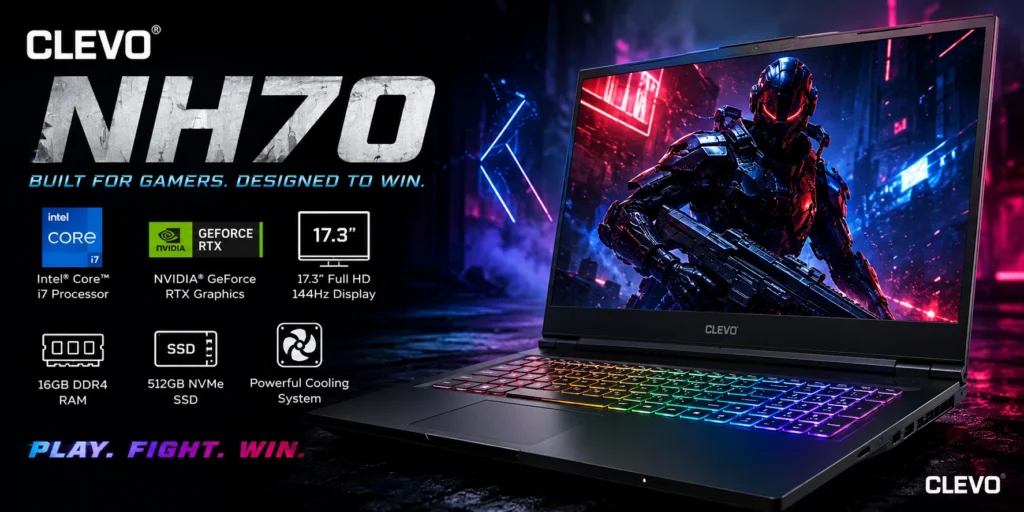
This explains why specs for the “same” NH70 can vary so much between sellers. One reseller might pair it with a GTX 1650 and 8GB of RAM, while another bundles in 32GB and a larger SSD. The chassis and core design stay the same, but the internals are reseller-dependent.
The NH70 itself sits in the 17.3-inch desktop replacement category. It’s aimed at gamers and power users who want strong performance without paying brand premiums for marketing and design polish.
Clevo NH70 Specifications at a Glance
| Component | Typical Spec |
| Processor | Intel Core i7-9750H (6-core, up to 4.5GHz turbo) |
| Graphics | NVIDIA GTX 1650, GTX 1060, or GTX 1070 (varies by config) |
| Display | 17.3-inch Full HD (1920×1080) |
| RAM | 8GB to 16GB DDR4, expandable up to 32GB or 64GB |
| Storage | 256GB to 1TB NVMe SSD |
| Battery | 3 to 4 hours typical use |
| Weight | 2.5 to 3.2 kg |
Because configurations vary so much by reseller, always confirm the exact GPU and RAM before buying rather than assuming a standard build.
Design and Build Quality
Chassis and Materials
The NH70 uses a matte black finish over a plastic and metal hybrid body. It feels solid rather than premium, with minimal flex when you apply pressure. The hinges hold the screen steady, and you can open the lid with one hand without the base lifting.
Size and Weight
This is a desktop replacement in every sense. At roughly 2.5 to 3.2 kg with a bulky power brick, it’s not something you’ll want to carry daily. It’s built for a desk setup or occasional backpack trips, not coffee shop sessions or long commutes.
Ports and Connectivity
- Multiple USB 3.1/3.2 ports
- USB Type-C (Thunderbolt 3 on some configs)
- Full-size HDMI output
- Ethernet port
- 3.5mm headphone/mic jack
- SD card slot (on select models)
- Wi-Fi and Bluetooth 5.0
The port selection is generous enough that you rarely need a dongle or adapter to connect external monitors, peripherals, or storage.
Display Quality and Visual Experience
The 17.3-inch Full HD panel is the NH70’s most consistent feature across resellers. It offers good color accuracy and a matte coating that cuts glare in bright rooms. Some configurations bump up to QHD (1440p) for sharper detail, though that puts more load on the GPU during gaming.
Refresh rate varies by build. Cheaper units stick to standard 60Hz, while some resellers offer 144Hz panels for smoother competitive gaming. Brightness tends to top out around 300 nits, which is fine indoors but weak in direct sunlight.
The large screen size is genuinely useful for multitasking, video editing, and watching movies. The tradeoff, as expected, is a heavier and bulkier machine.
Keyboard, Trackpad, and Audio
The keyboard is a strong point for a laptop in this price range. It includes a full numeric keypad, RGB or single-zone backlighting depending on configuration, and decent key travel that holds up during long gaming or typing sessions.
The trackpad is functional but unremarkable, which is typical for gaming laptops where most users default to an external mouse. Built-in speakers handle casual movie watching and games adequately, but serious gaming or music listening benefits from external headphones.
Performance: CPU, GPU, RAM, and Storage
The Intel Core i7-9750H remains the most common processor choice across NH70 builds. It’s a 6-core chip that handles multitasking, streaming, and moderate content creation without much strain, even though newer Intel and AMD chips have since surpassed it in efficiency.
GPU options range from the GTX 1650 in budget builds to the GTX 1070 in higher-spec configurations. None of these support DLSS or hardware ray tracing the way RTX cards do, which limits how well the NH70 handles the newest AAA titles at high visual settings.
RAM typically starts at 8GB but is easy to expand. Storage relies on NVMe SSDs ranging from 256GB to 1TB, with most chassis designs allowing extra drives to be added later. This upgradability is one of the NH70’s most reliable long-term advantages.
Gaming Performance in 2026
Esports titles and slightly older AAA games remain comfortable territory for the NH70.
- Valorant, CS2, Fortnite: High settings, smooth frame rates well above 100 FPS
- GTA V, The Witcher 3: Medium to high settings, steady 60 FPS
- Cyberpunk 2077, Starfield: Low to medium settings needed, with ray tracing largely out of reach
- Older AAA titles (5+ years): Maxed settings with frame rates to spare
Without DLSS or ray tracing support, newer graphically intensive games require setting compromises. For competitive and indie gaming, though, the NH70 still performs reliably.
Cooling System and Thermals
Most NH70 builds use a dual-fan setup paired with multiple heat pipes to manage heat from the CPU and GPU. During sustained gaming, CPU temperatures commonly sit in the 75-85°C range, with the GPU running slightly cooler.
Thermal throttling is rare under normal conditions, which speaks well to the cooling design.
Fan noise becomes noticeable under load, and undervolting or custom fan curves (via tools like MSI Afterburner) can help quiet things down. Keeping the vents clean and using the laptop on a hard surface also helps maintain consistent performance.
Battery Life and Charging
Battery life is the NH70’s clearest weakness. Light browsing and document work stretch to around 3 to 4 hours, while gaming on battery alone drops that to 1 to 2 hours at best.
Charging is reasonably fast, often reaching a full charge in around 2 hours. In practice, this laptop is built to live near an outlet rather than survive a full day unplugged.
Upgradability and Maintenance
This is where the NH70 earns long-term value. Unlike many modern laptops with soldered components, the NH70 makes RAM and storage upgrades genuinely simple.
- RAM sticks (8GB to 32GB) cost roughly $30 to $60
- 1TB NVMe SSDs run about $50 to $100
- Bottom panel access makes thermal paste reapplication and fan cleaning straightforward
The GPU itself is typically soldered and not upgradable, so your graphics performance is locked in at purchase. Everything else, though, can be refreshed cheaply over the years.
Pricing in 2026: What to Expect
Pricing depends heavily on configuration and whether you’re buying new or refurbished.
- Refurbished/used: $700 to $1,200
- New, budget configuration: $1,000 to $1,500
- New, higher-spec configuration: $1,800 to $2,500
Refurbished units in the lower price band tend to offer the best value, since the hardware is already a few years old regardless of condition.
Clevo NH70 vs Clevo PA71
The PA71 is Clevo’s other popular 17-inch chassis, and it’s a common comparison point for buyers.
- NH70: Larger keyboard and trackpad, more storage expansion room, generally lower price
- PA71: Slightly more compact, stronger thermals, better suited if portability matters more
If you want a true desktop replacement with maximum expansion room, the NH70 wins. If thermals and a marginally smaller footprint matter more, the PA71 is worth a look.
Clevo NH70 vs Modern Gaming Laptops
| Feature | Clevo NH70 | Modern Laptops (2026) |
| GPU | GTX series (1650/1060/1070) | RTX 30/40/50 series |
| Display | 60Hz FHD (some 144Hz) | 144Hz+ QHD/4K |
| Battery | 3-4 hours | 6-10 hours |
| Ray Tracing/DLSS | Not supported | Standard |
| Portability | Heavy desktop replacement | Slim and lightweight |
| Price | Budget to mid-range | Wide range, often pricier |
Newer laptops like the Acer Nitro or ASUS TUF series offer better efficiency and modern GPU features for similar money. The NH70’s appeal is almost entirely about value and upgradability rather than cutting-edge specs.
Pros and Cons
Pros
- Strong, upgradeable RAM and storage
- Spacious 17.3-inch display
- Comfortable full-size keyboard with numpad
- Effective cooling under sustained load
- Competitive pricing, especially refurbished
Cons
- Weak battery life, particularly while gaming
- Heavy and bulky for travel
- No ray tracing or DLSS support
- Fan noise under heavy workloads
- GPU can’t be upgraded later
Who Should (and Shouldn’t) Buy the Clevo NH70
Good fit for:
- Budget gamers focused on esports titles
- Students who need a large screen for multitasking
- Content creators doing light to moderate video editing
- Anyone who wants a desk-based machine with upgrade flexibility
Not ideal for:
- Frequent travelers or digital nomads
- Buyers who prioritize battery life
- Gamers who want RTX-level visuals and ray tracing
- Anyone needing a thin, lightweight laptop
Final Verdict: Is It Still Worth Buying in 2026?
The Clevo NH70 is worth buying if you’re shopping on a budget and prioritize performance over portability. It still handles esports titles and older AAA games comfortably, and the upgrade path for RAM and storage adds real longevity.
If you need ray tracing, long battery life, or a lightweight build, a newer RTX-equipped laptop will serve you better. For deal hunters comfortable with its age, the NH70 remains a solid pick, particularly in the refurbished market.
Conclusion
The Clevo NH70 still earns its place as a budget gaming laptop in 2026. It won’t compete with RTX-powered machines on ray tracing or battery life, but its upgradeable RAM, storage, and competitive pricing make it a practical choice for gamers and students who value performance over portability. Buy it informed, and it can serve you well for years.
FAQs
Is the Clevo NH70 good for gaming in 2026?
Yes, especially for esports titles and older AAA games at medium to high settings. Newer demanding titles need lowered settings since it lacks ray tracing and DLSS.
Can I upgrade the Clevo NH70’s GPU?
No, the GPU is soldered to the motherboard and can’t be swapped. RAM and storage, however, are easily upgradeable.
How long does the Clevo NH70’s battery last?
Expect around 3 to 4 hours for light tasks like browsing, dropping to 1 to 2 hours during gaming. It’s best used plugged in for demanding work.
What’s the difference between the Clevo NH70 and PA71?
The NH70 offers a larger keyboard and more storage expansion at a lower price, while the PA71 is slightly more compact with stronger thermals. Choose based on whether portability or expansion matters more to you.
Is the Clevo NH7s0 worth buying refurbished?
Yes, refurbished units in the $700 to $1,200 range offer the best value for this laptop. Since the hardware is already a few years old, buying used doesn’t sacrifice much compared to new units.
